04/04 Personal project
TouchBoard
A touchscreen dashboard for the homelab.
- [Type]
- Personal project
- [Role]
- Design & development
- [Year]
- 2026
- [Status]
- Public repo · v0.4 beta
- [Stack]
- Python · FastAPI · SQLite · Server-Sent Events · Vanilla JS · Gridstack
- [Links]
- Live demo ↓Source ↗
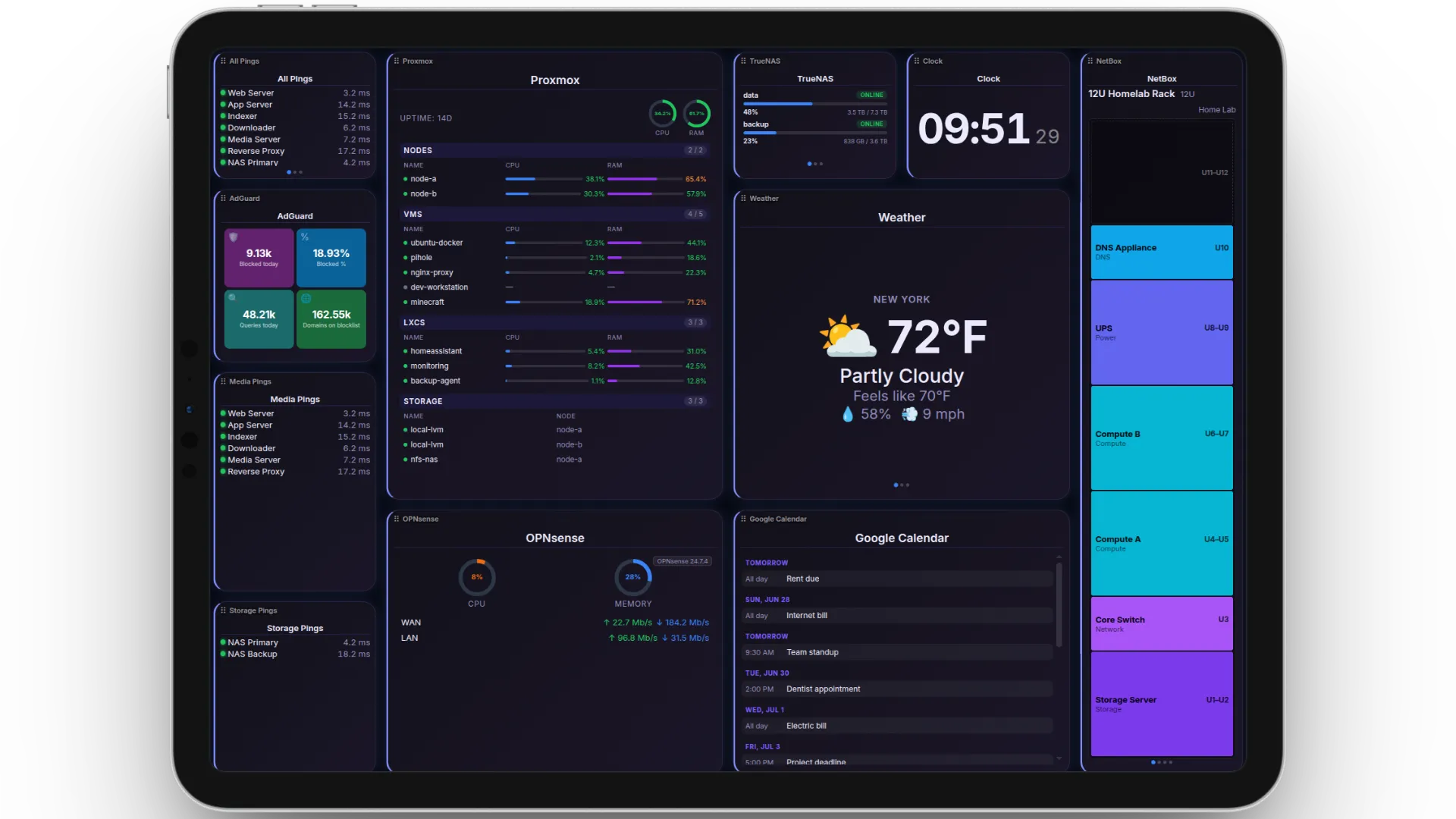
A self-hosted, touch-first homelab dashboard. You lay out pages of live widgets in a drag-and-drop editor, then point any screen at it.
The problem
Homelab dashboards are usually built for a mouse on a big monitor. I wanted something for a small touchscreen on the rack and a tablet on the wall. It had to be glanceable, swipeable, and live, without polling every service from every screen.
What I built
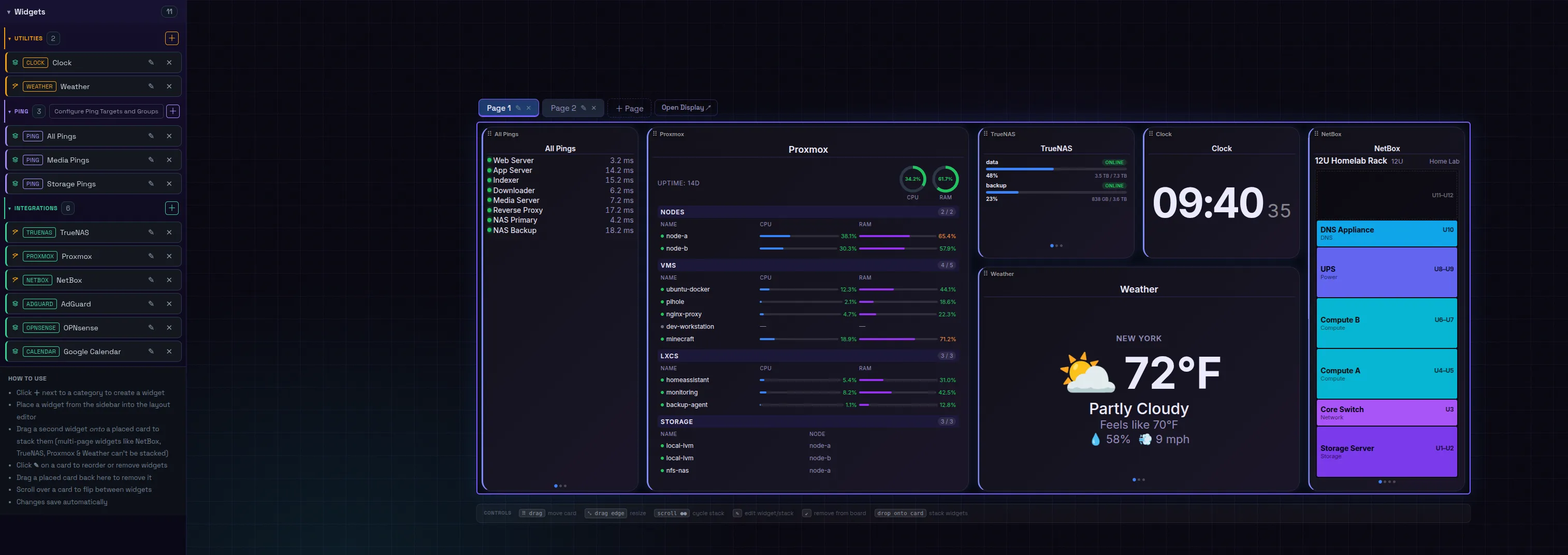
TouchBoard has a layout editor and a separate display view:
- Layout editor: build multi-page grids of widgets and stacks (several widgets in one card that you swipe through).
- Display: a separate view any screen can open, with no login required.
The integrations:
- Proxmox, TrueNAS, OPNsense, AdGuard Home, NetBox
- Google Calendar and ICS feeds, Open-Meteo weather
- HLS/RTSP camera streams, and ping/TCP/HTTP health checks grouped by purpose
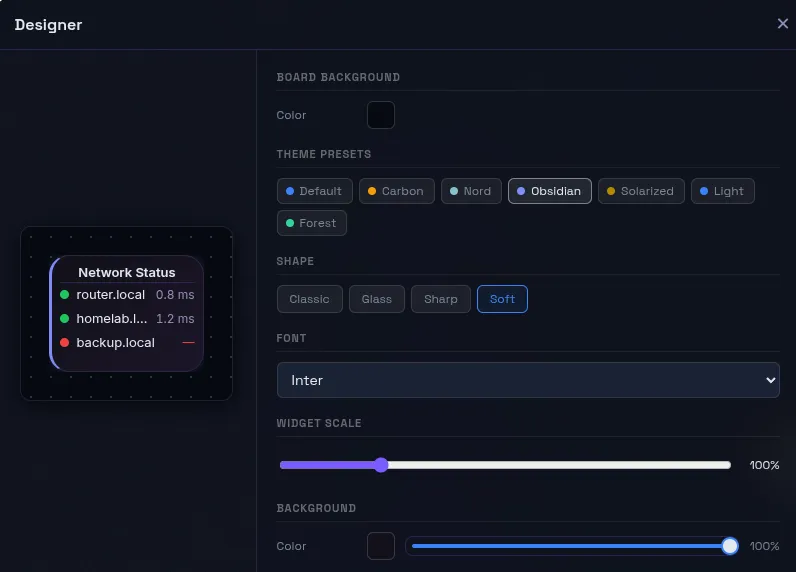
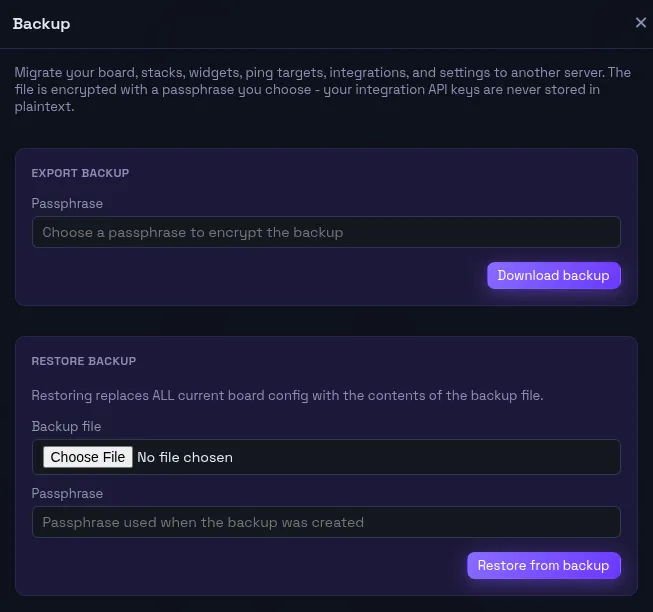
Profiles let one install drive different boards on different screens. A theme system combines seven palettes with four card styles. Encrypted backup and restore covers the whole board.
Under the hood
- Data flow: a FastAPI backend polls each widget on its own interval and pushes results to every connected screen over Server-Sent Events, so a wall of tablets costs the same as one.
- Frontend: plain ES modules with no build step and a vendored Gridstack.
- Storage: credentials are encrypted at rest with Fernet, and everything lives in a single SQLite file.
Outcome
TouchBoard runs on the screen in my rack every day, and its source is public on GitHub. The demo is the real editor and display. Integrations are simulated with live-moving data, and editor changes appear on the display tab instantly.
Live Try TouchBoard
One-click sign-in · seeded data · resets on reloadRuns entirely in your browser with generated data. Nothing you do is saved; reload to reset.